


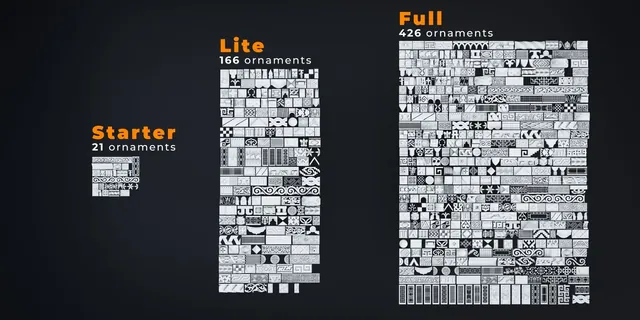
What it does.
Every version contains the same core functionality; the main difference is the size of the included ornament library. The current Full edition contains 426 ornaments. Ornament Generator 1.1.0 added Persian and Geometric patterns plus workflow controls, while 1.2.0 expanded the library with China and Mesoamerica and introduced Offset Z.
Coming October 5, 2026: Ornament Generator 1.5.0 will add 100 new Art Deco ornaments. Read the update preview →
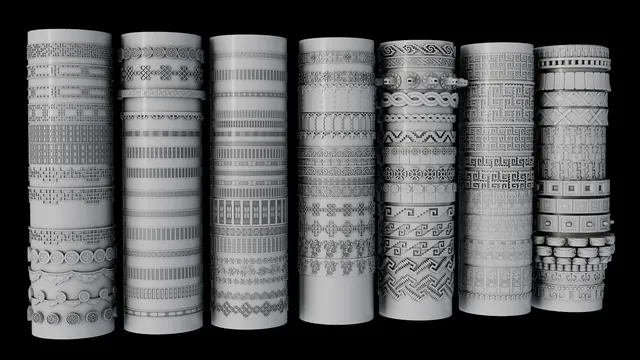
Core workflow.
- Select at least one edge where you want the ornament to run.
- Click Generate Ornament from Edge.
- Choose a category and ornament from the library, then Load Asset.
- Refine the result using Offset, Scale, Tilt and Direction.
- For difficult curves, adjust Handle Type, Twist Type, Smooth Factor and Resolution.
Getting started.
- Open Blender and go to Edit → Preferences → Add-ons.
- Choose Install from Disk and select the Ornament Generator ZIP file.
- Install the addon. It will appear in Blender’s side panel.
- Use Blender 4.3 or newer for the supported workflow.
Main controls.
Moves the ornament away from or toward the source surface.
Controls ornament size. Extra Scale is useful when the normal range is not enough.
Rotates the ornament relative to the surface.
Flips the generated ornament orientation.
Reduces geometry while preserving the connected generated ornament.
Reloads available assets so custom ornaments can be updated without leaving Blender.
Useful for sharp corners or fixing twisting on more difficult paths.
Controls curve smoothness and detail density.
Watch the tutorial.
Open the official PeakDreams video for a complete visual walkthrough and examples.
WATCH ON YOUTUBE