


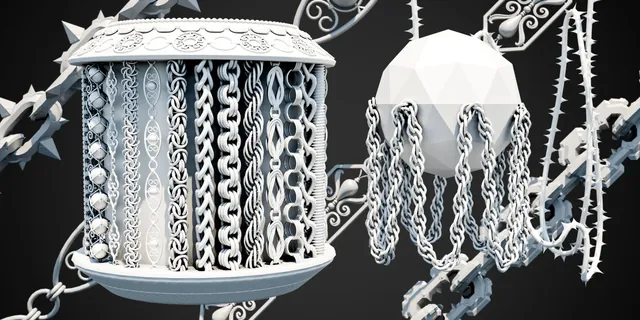
What it does.
Chain Generator v1.0.0 is a Blender add-on designed to create repeating chain geometry along selected edges or hand-drawn paths. It adapts the chain to curves and surfaces, automatically fits repeated geometry to the path, supports non-destructive iteration and includes procedural hanging controls.
12 chains — a smaller entry point for testing the workflow and compact projects.
100 chains — a broad library for regular production work.
253 chains — the complete library, organized into 5 categories for maximum variety.
Designed for Blender 4.3 or higher on Windows, macOS and Linux.
Coming October 31, 2026: Chain Generator 1.1.0 will add 50 new chains. Read the update preview →
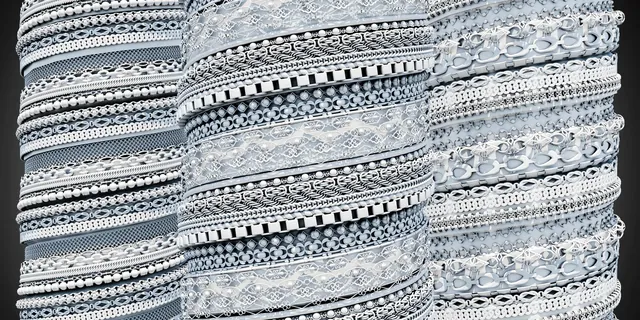
Getting started.
- Open Blender and go to Edit → Preferences → Add-ons.
- Choose Install from Disk, select the Chain Generator ZIP package and install it.
- After installation, open Chain Generator from the 3D View side panel.
One-click chains.
- Enter Edit Mode on a mesh and select at least one connected edge or edge path.
- Click Generate Chain to create the path and chain object.
- Browse the asset previews and categories, then choose the design you want to use.
- Refine the result with Scale, Tilt, Offset, Z Offset, direction, curve and Sag controls in Adjust Last Operation.
Draw your own path.
- Select the chain asset you want to use.
- Choose a draw mode: View Plane draws at the 3D Cursor depth, while Surface draws directly on the active mesh.
- Click Draw Chain and draw with the left mouse button. Release to finish; Esc cancels.
- Use the Chain Adjustments popup for Scale, Tilt, Close Curve and Sag. The result updates live without redrawing the path.
Draw Chain also simplifies the stroke automatically after drawing, removing redundant points while keeping important bends.
Shape the result.
Move the generated chain away from the source or correct vertical placement.
Change link size while the addon recalculates the repeated array so it continues to fill the curve.
Rotate the chain links around the direction of the generated curve.
Reverse chain orientation when needed.
Reduce generated geometry density while keeping the chain connected to the curve.
Connect a drawn path back to its starting point and recalculate the chain to fill the closed loop — useful for jewelry and circular details.
Handle Type, Twist Type, Smooth Factor and Resolution help control sharp turns, orientation and deformation quality.
Reload the available assets and previews without restarting Blender.
Controlled hanging chains.
The Sagging system creates repeating gravity-like hanging sections from the original path, so changing values does not accumulate deformation. It works with standard edge generation and with Draw Chain.
Controls how far the chain hangs downward in world Z.
Sets the number of hanging sections. The default is 5 with a minimum of 2.
Controls curve density for each sag. Higher values create smoother bends.
Widens the lower U-shaped section while keeping the support area tighter.
Create sharper support points and control how far the straight upper section extends down each side.
Made for scene detail.
Use Chain Generator for necklaces, bracelets and accessories; armor, weapons and character props; hanging barriers and environment detail; anchors, hoists and mechanical assets; or stylized and fantasy chain layouts. The library also includes chain-like decorative assets that can be used beyond traditional metal chains.
Full tutorial.
Watch the release tutorial for a visual walkthrough of the Chain Generator workflow and its main controls.